

DHCP and Hostnames
DHCP (Dynamic Host Configuration Protocol) assigns IP addresses and hostnames to network interface cards (NICs) in home and cloud computing environments.
How DHCP Works
Multiple network interfaces on a single computer each receive their own IP address. Home computers typically have wifi, ethernet, and other connection options available simultaneously. DHCP enables network entry by having the network gateway assign an IP address to each NIC while the computer announces a hostname for that interface.
Ubuntu systems designate one NIC as primary for hostname announcement. Managing unique hostnames per interface is controlled via /etc/dhcp/dhclient.conf.
The Problem: Apollo's Two NICs
Apollo started with wifi only, then gained an ethernet connection:
- Before —
wlp3s0: 192.168.1.246
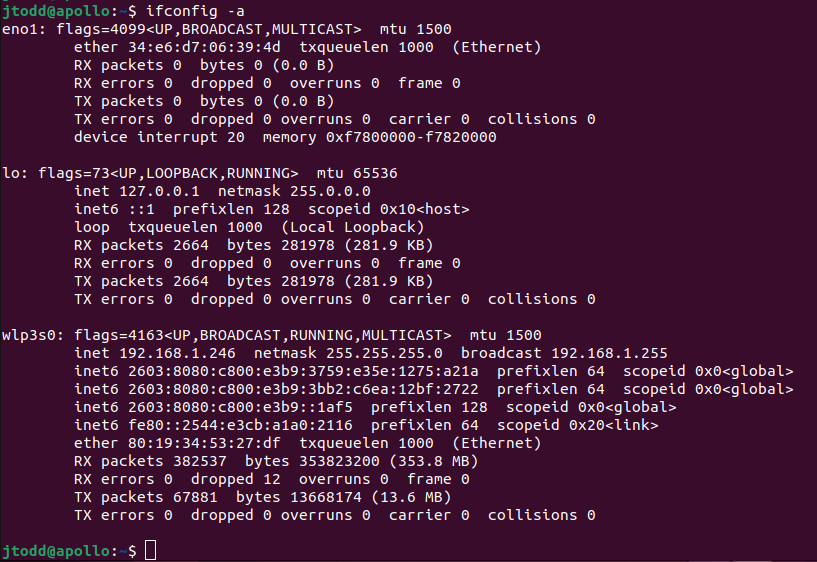
- After adding ethernet —
eno1: 192.168.1.216; secondary hostnames appeared asapollo-75andapollo-82
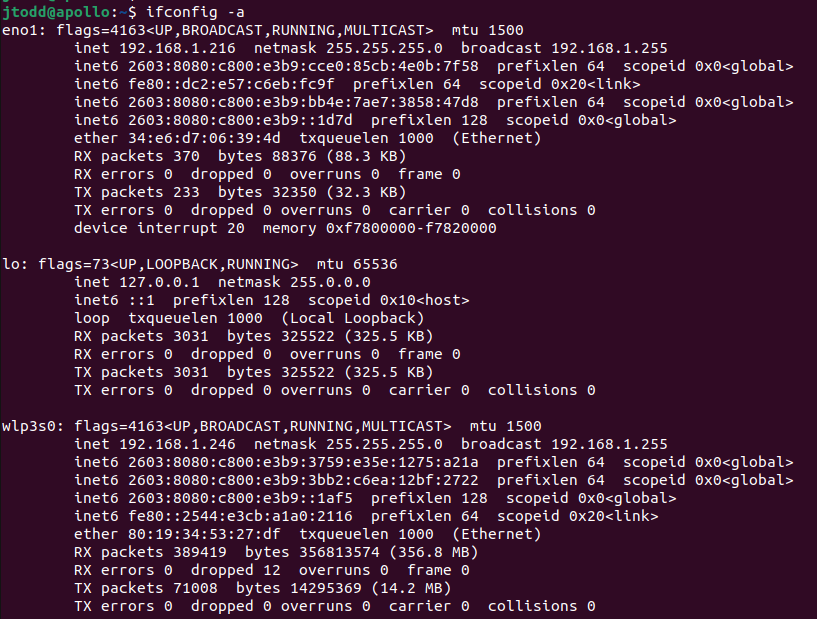
The goal was to keep the primary hostname apollo on ethernet and name the wifi interface apollo-wifi.
The Solution
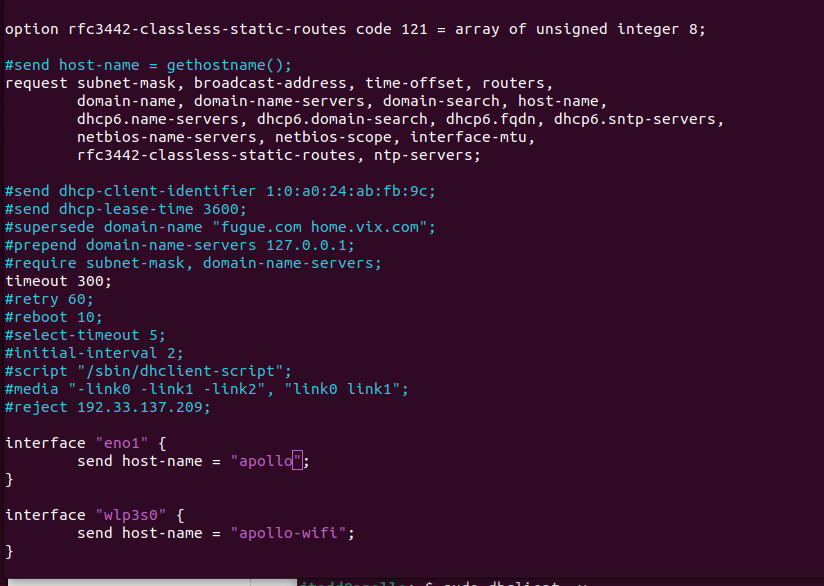
Edit /etc/dhcp/dhclient.conf to assign specific hostnames to specific NICs.
Comment out the default line:
# send host-name = gethostname();
Then add interface-specific blocks:
interface "eno1" {
  send host-name "apollo";
}

interface "wlp3s0" {
  send host-name "apollo-wifi";
}
Reset DHCP leases to apply:
sudo dhclient -v -r
sudo dhclient -v -r eno1




After applying, LanScan shows apollo on ethernet and apollo-wifi on the wireless interface — exactly as intended.